
How to create a notification sound
This guide builds a two-note doorbell in the Notify Sound editor, from one plain layer to four layers and a reverb. Each step names the sliders it moves and what they do to the sound. The link at the end of a step opens the sound in the editor as that step leaves it.
Start from one plain layer
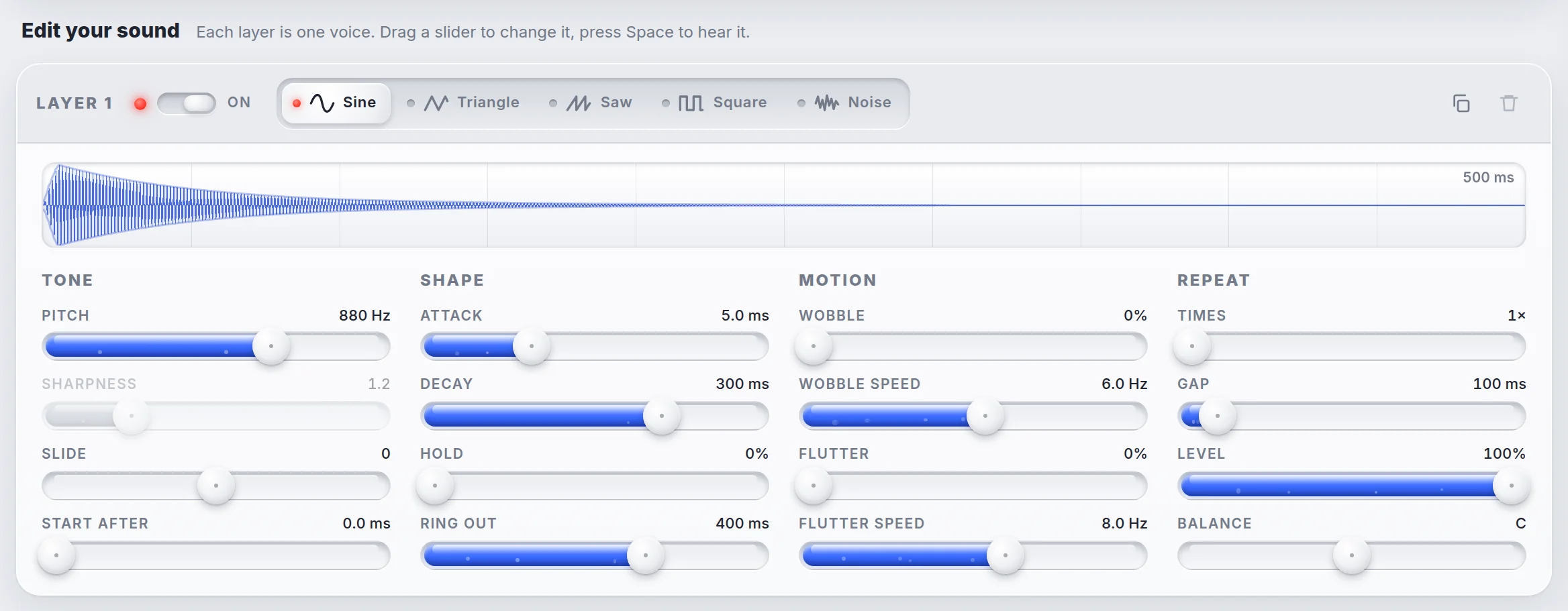
A Notify Sound sound is a stack of layers. Each layer plays one note, and all layers play together. The link below opens a sound with one sine layer at 880 Hz. Space plays the sound, and Loop in the master panel replays it while the sliders move.
Pick the wave and the first note
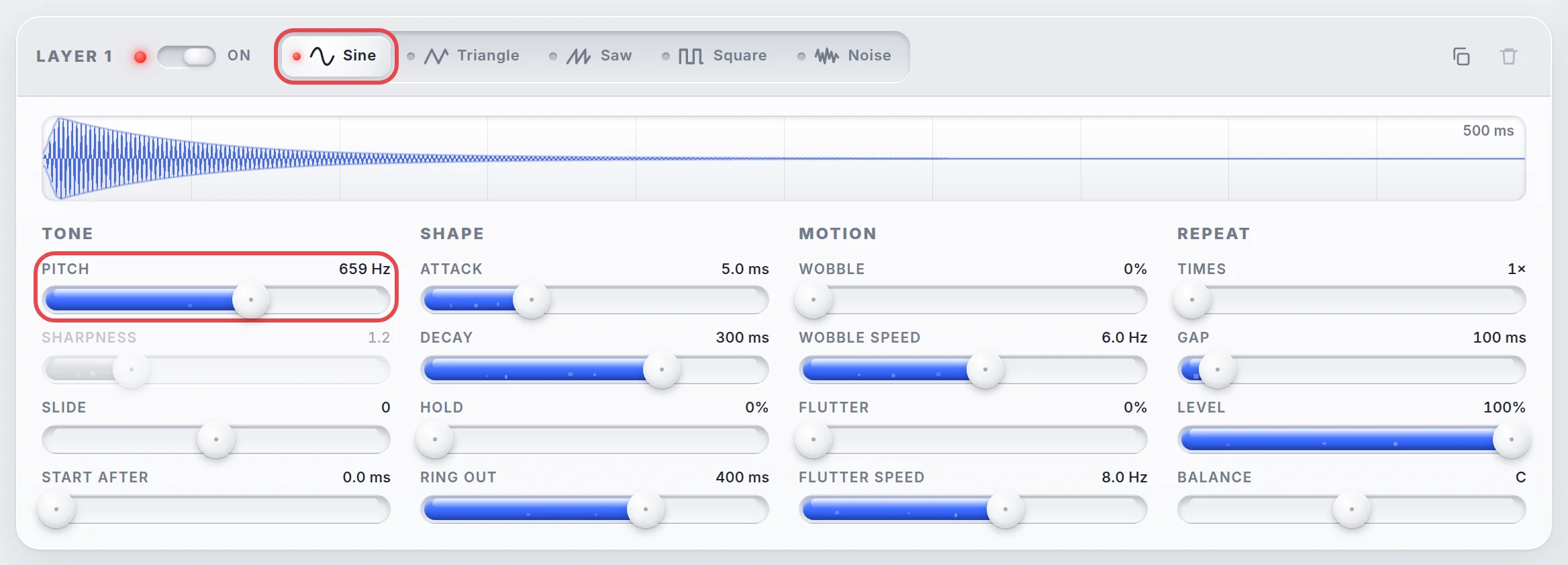
Wave shape sets the raw character of a layer. Sine is smooth and pure, which suits the body of a doorbell. Pitch sets how high or low the note is, in hertz (Hz). A higher number is a higher note, and doubling the number lifts the note by one octave. The ding is 659 Hz, an E note.
Shape the strike and the ring
With its default shape the note sounds like a beep. The four Shape sliders set how the loudness of a layer changes over time, from the first moment to silence.
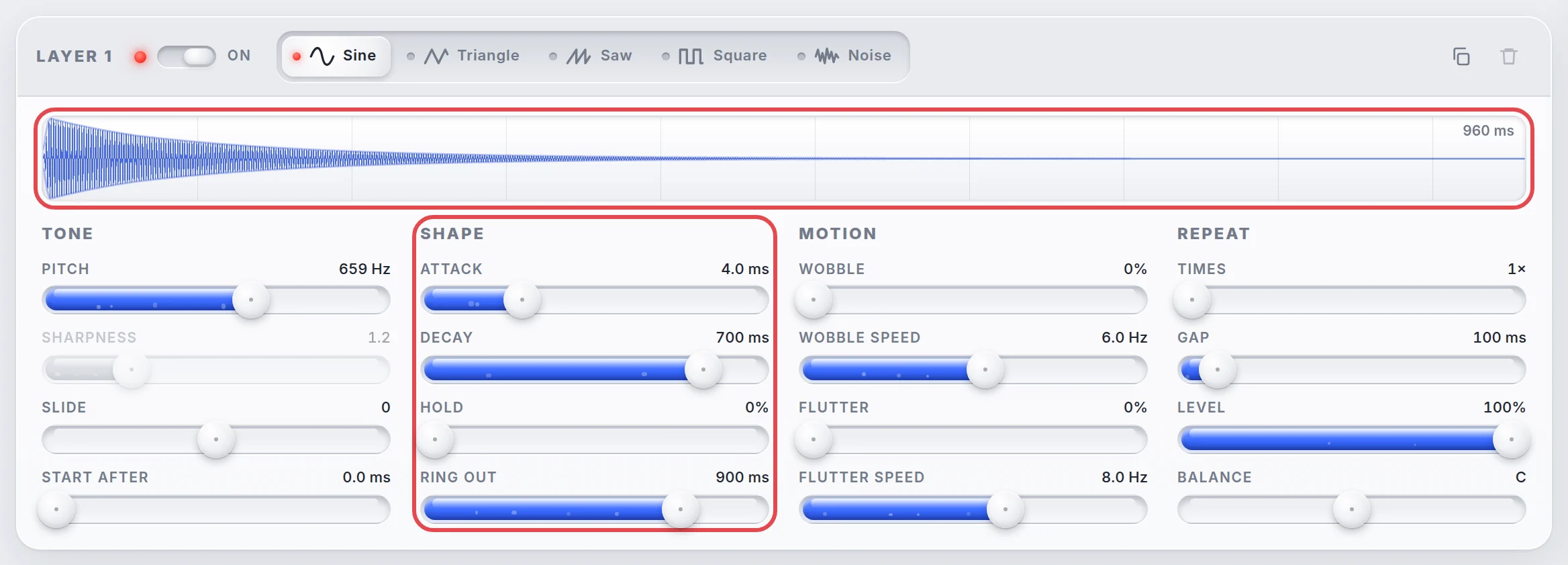
Attack is the time the note takes to rise from silence to full volume. A long Attack fades the note in like a swell. At 4 ms the note starts at full volume almost at once, like a hammer hitting metal.
Decay is the time the note takes to fall from that peak down to the Hold level. At 700 ms the level falls slowly after the hit.
Hold is the level the note keeps for as long as it lasts. At 0% the note never settles into a steady tone, so Decay keeps pulling it down toward silence.
Ring out is the tail of the sound: the time it takes to fade to silence once the note ends. A struck bell keeps vibrating after the hammer leaves it, and Ring out plays that part. Without it the sound stops dead the moment the note ends, which sounds cheap and can leave a click. Ring out also sets how long the layer lasts, so it decides how long the doorbell hangs in the air. At 900 ms the ding rings for almost a second after the strike.
The scope above the sliders draws the layer. A struck sound has a sharp front edge and a long tail that thins out.
Note length, in the master panel, sets how long every note is held before Ring out takes over. At 60 ms the note is only the strike, and Ring out plays the tail.

Add a quiet layer for shimmer
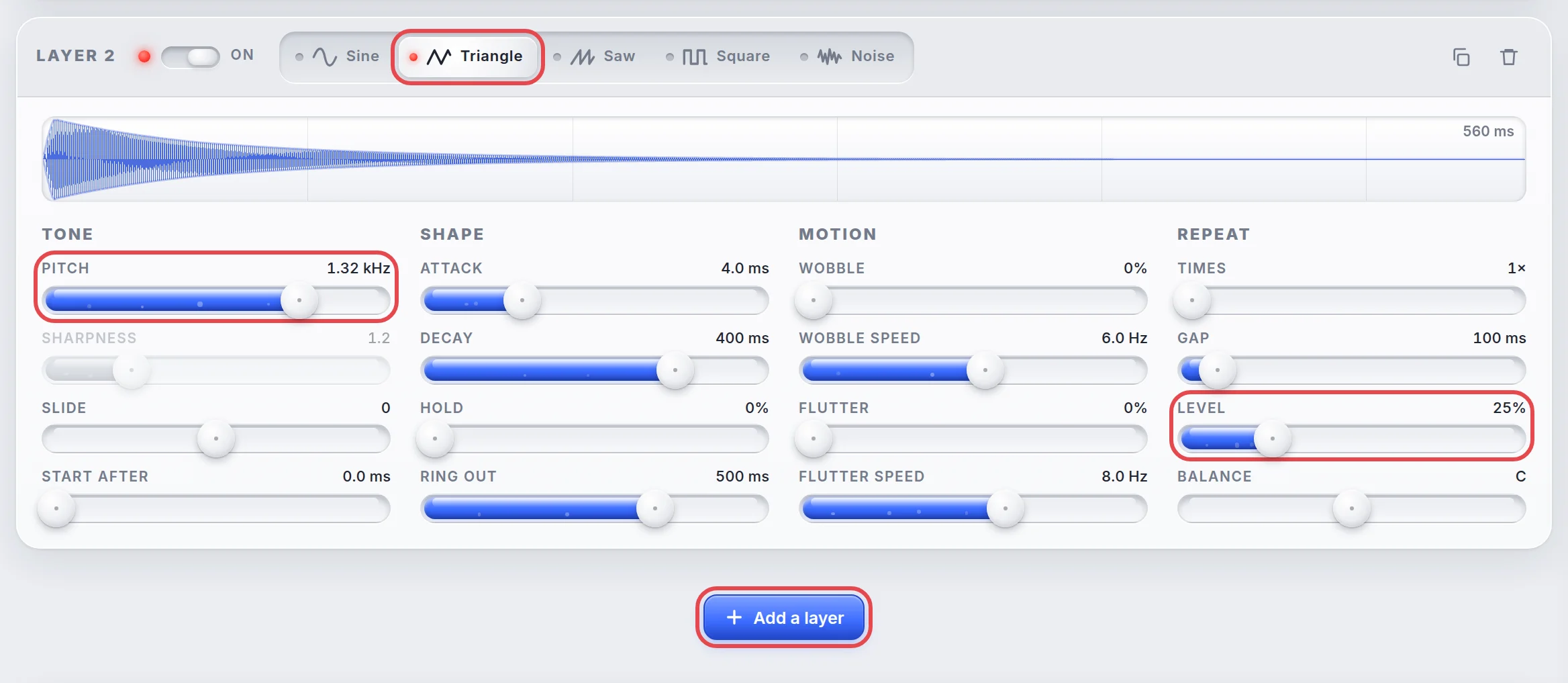
A real bell rings at more than one pitch, so the doorbell needs a second voice. Add a layer puts one under the first. Triangle has a few soft overtones and rings a little brighter than sine. At 1,318 Hz this layer is one octave above the first note, and the two blend into one tone.
Level sets how loud a layer is in the mix, from silent at 0% to full at 100%. At 25% the shimmer sits under the main note instead of competing with it. Decay at 400 ms and Ring out at 500 ms make the bright part fade first, as the high ring of a bell does.
Copy both layers for the second note
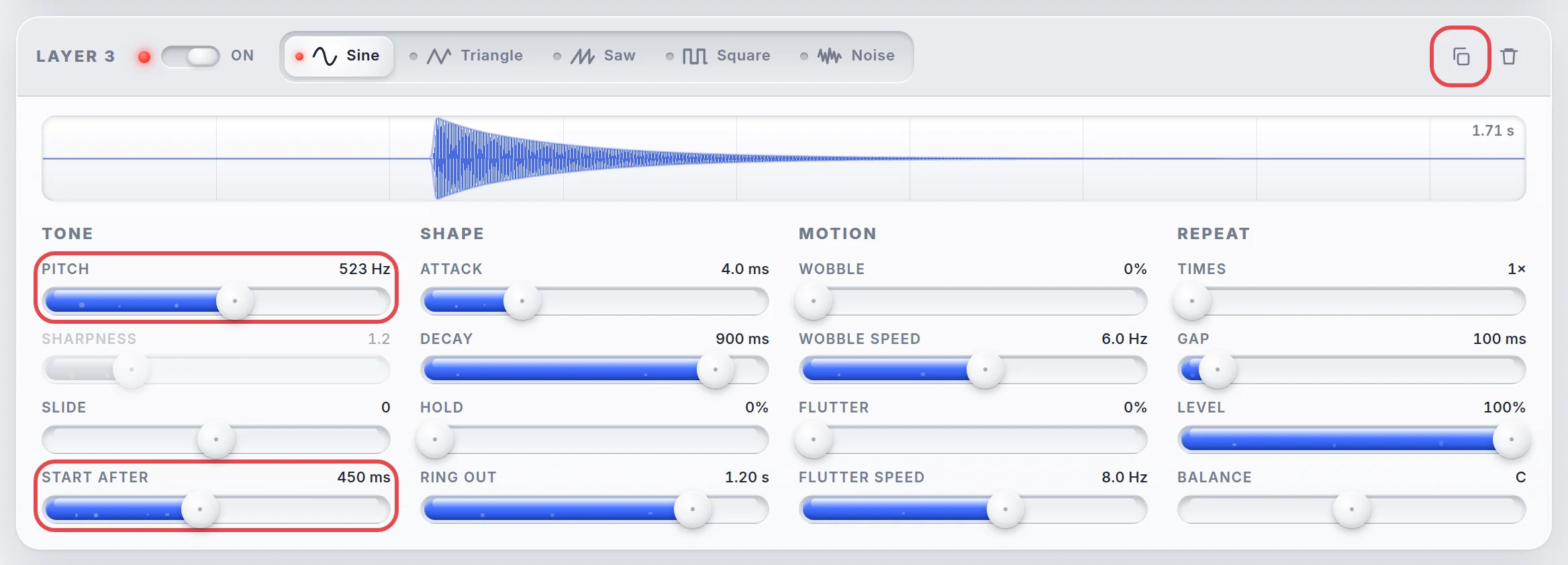
The dong is the same bell played lower. The Duplicate layer button in the corner of a layer copies it to the end of the stack: a copy of layer 1 becomes layer 3, and a copy of layer 2 becomes layer 4.
Layer 3 gets Pitch 523 Hz, a C, and layer 4 gets 1,046 Hz, the C above it. The drop from E to C is the classic doorbell interval. Start after is how long a layer waits before it plays. It turns layers that would sound together into notes that follow each other, which is how a melody is built. At 0.45 s on both layers the second note waits until the first has rung. Decay and Ring out are a little longer on the low note, so the dong outlasts the ding.
Give the bell a room
Without an effect the doorbell sounds like it plays inside a box. Effect, in the master panel, picks one effect for the whole sound, on top of every layer. Reverb imitates the reflections of a room: copies of the sound bounce back and blur into a soft tail. Amount sets how much of the effect is mixed in with the plain sound. At 30% the notes stay clear while their tails blend.

Save, share and download
The finished sound leaves the editor from the transport bar. Save puts it in your library, which the Library button at the top of the editor opens. Share makes a link that carries the whole sound. Download saves a MP3 file for an iPhone, an Android phone, an app or a video.

Doorbell in the library is built the same way, so it can be opened next to your own to compare.
-

The classic two-note ding-dong.
More changes to try
How do I make the doorbell sound brighter?
Raise Level on layers 2 and 4. The triangle layers carry the high ring. Keep them under half the level of the main layers, or the octave takes over the note.
How do I turn it into a three-note chime?
Copy layers 3 and 4 again. Give the copies Pitch 392 Hz and 784 Hz, a G and the G above it, and Start after 0.9 s. The chime then steps down once more.